Plan it, measure it, price it.
Design buildings in 3D, mark up and measure your PDF drawings, and turn the quantities into estimates and quotes. Three apps that work as one, in your browser.
Open Auxx BuilderSee how it worksOne product: design, takeoff and estimating.
Free, no install and no credit card.
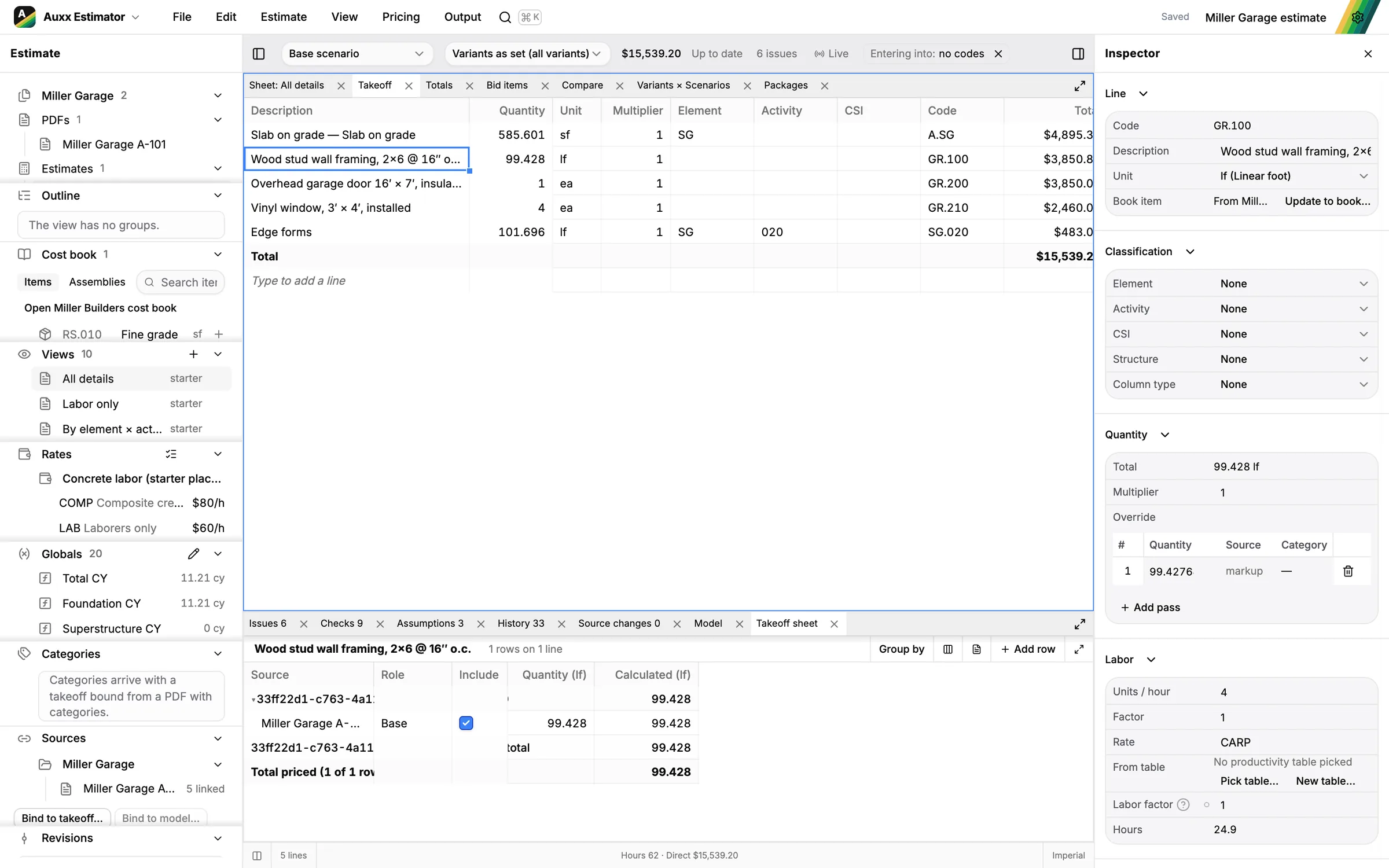
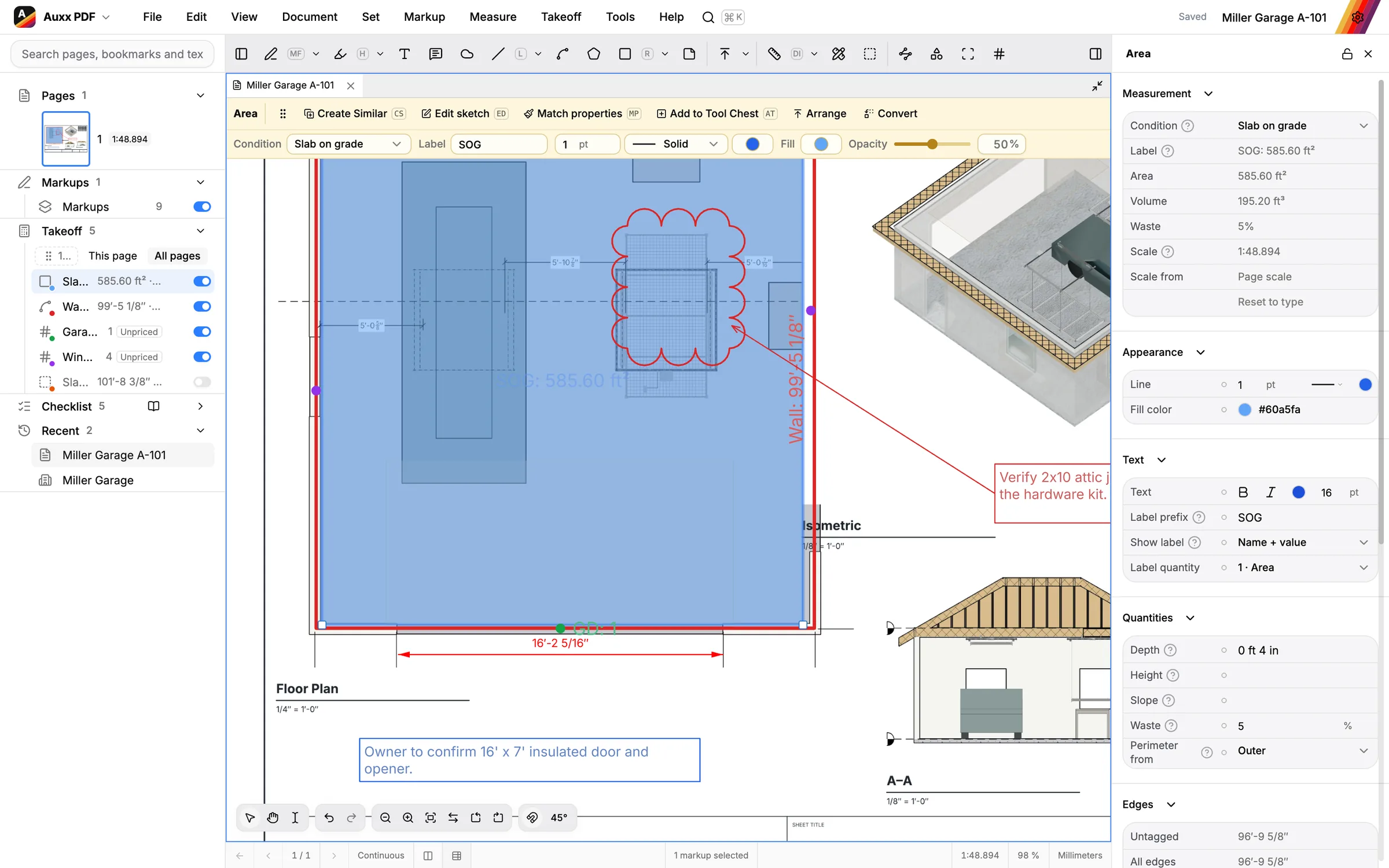
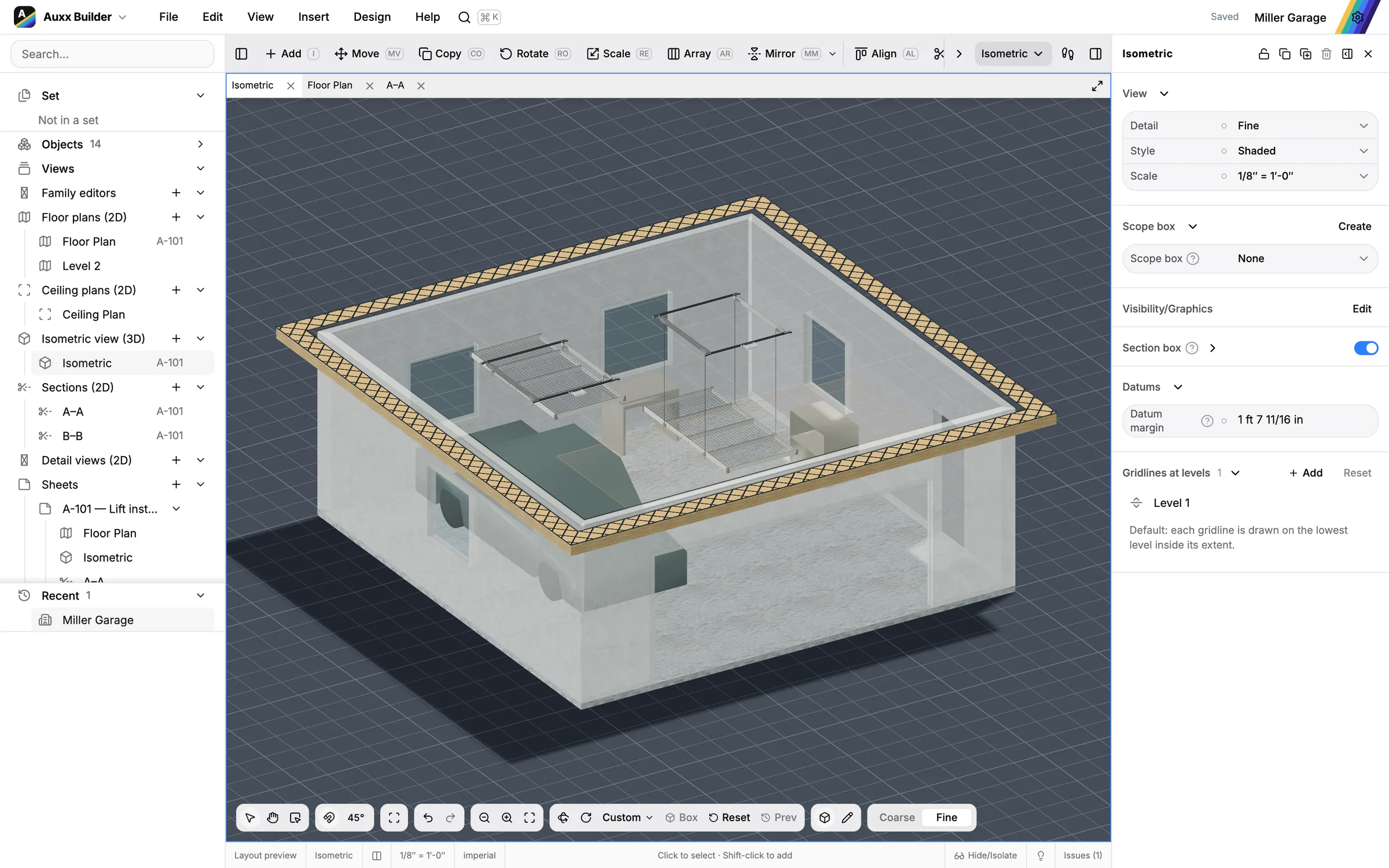
Three apps. One product.
A design, its drawings and its estimate open together in one set. Use one app or all three: they pick up each other's work.
- Walls, floors, roofs and levels
- 3D, sections and sheets
- Auxx-Lift placement
- Markups and comments
- Measure to scale
- Takeoff by condition
- Cost books and assemblies
- Priced from the takeoff
- Proposals and quotes
Design the building
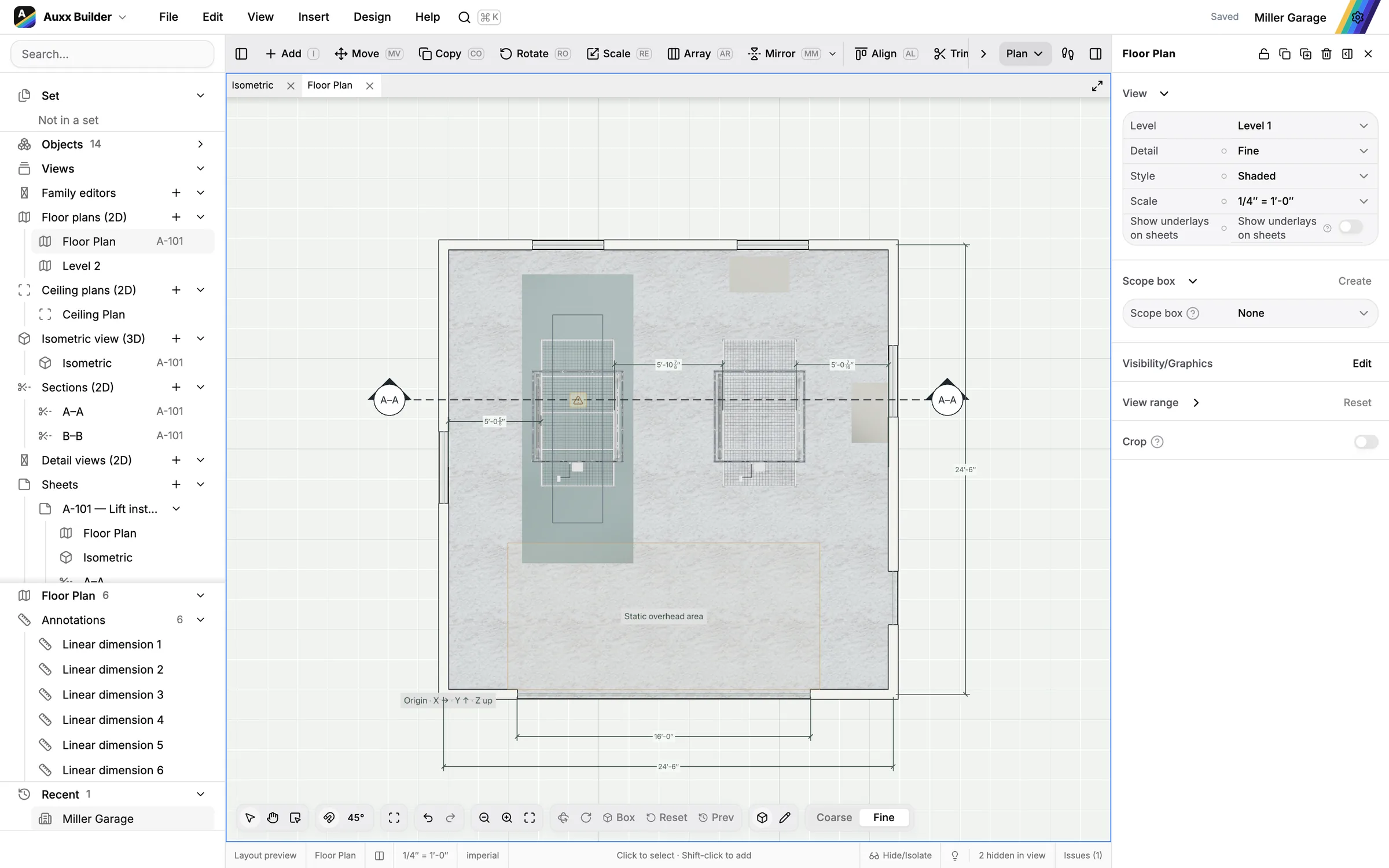
Draw the garage, the shop or the whole house in plan and see it in 3D as you go. Place Auxx-Lift storage lifts where they fit and print the drawings.
Draw it in minutes
Click out walls, drop in doors and windows, add floors and roofs. Dimensions update as you draw.
- Start from a template or trace a scanned plan
- Levels, gridlines and dimensions
- Undo anything
See it in 3D
Every wall and floor is a real model. Orbit around it, cut sections and check heights before anything is built.
- 3D view with a section box
- Sections through any level
- Sloped roofs
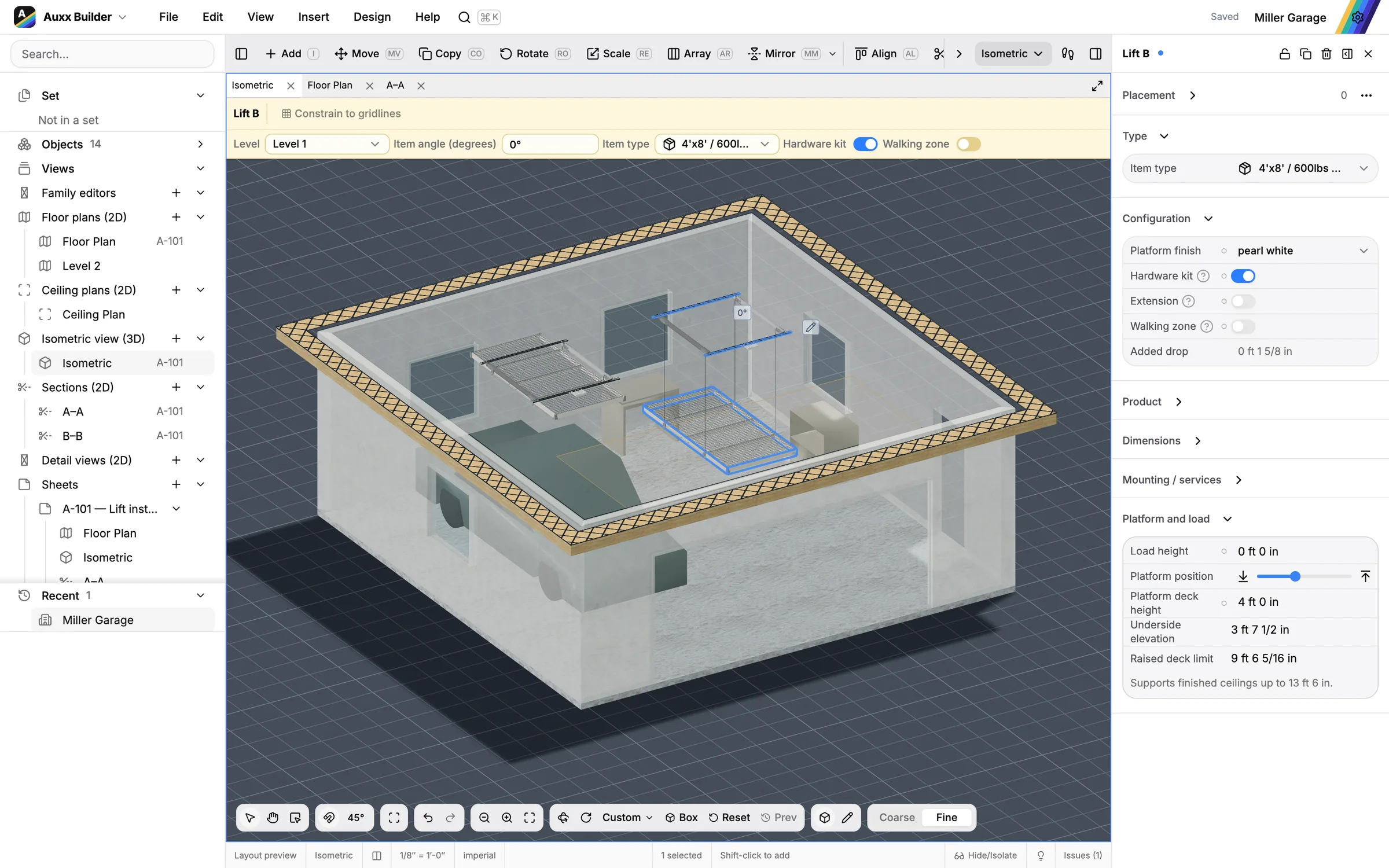
Fit your Auxx-Lift
Place storage lifts on the ceiling and see right away whether the travel, the clearances and the cars underneath work.
- Live height and clearance checks
- Lift types from the Auxx-Lift catalog
- Kit parts counted for you
Print and share
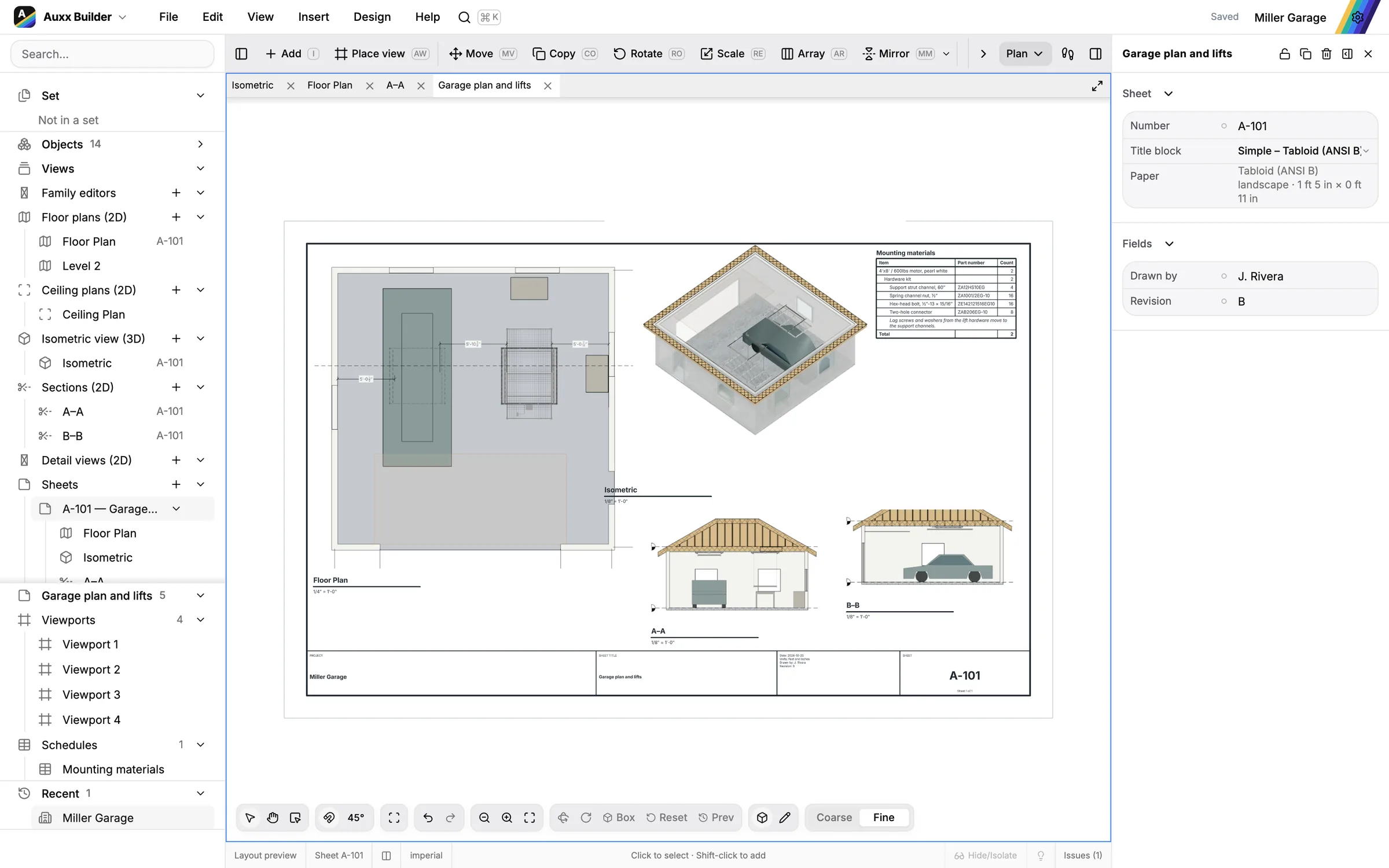
Put plans, sections and 3D views on sheets with a title block and export a PDF anyone can open.
- Sheets and title blocks
- Schedules and quantities
- PDF export
Read and measure the drawings
Open the drawings you were sent, mark them up and measure them to scale. Takeoff quantities go straight to the estimate.
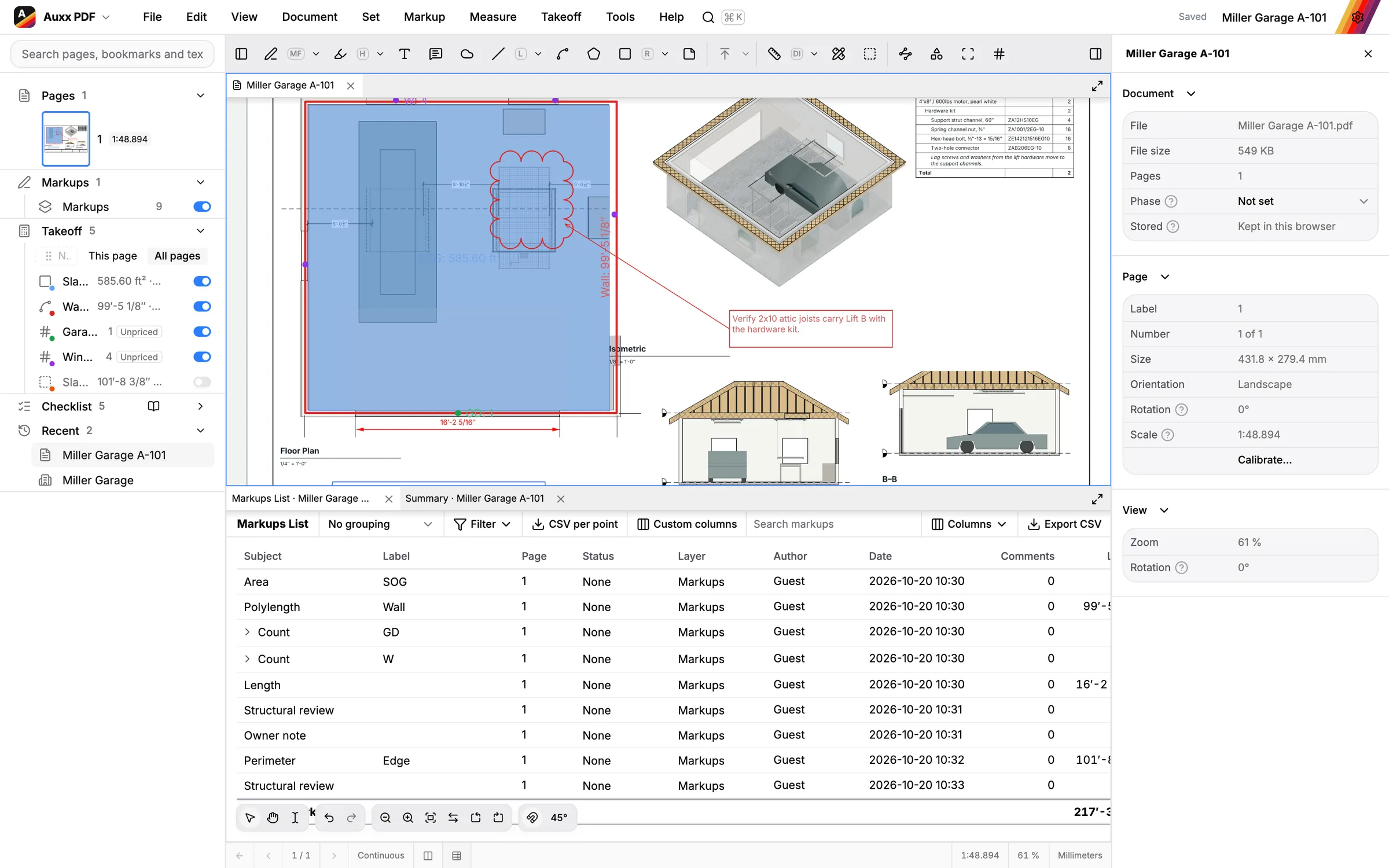
Mark up any drawing
Clouds, callouts, text, stamps and comments with statuses. Bring markups in from Bluebeam and export standard PDF annotations.
- Markups list with custom columns
- Bluebeam markups in and out
- Tool chest
Measure to scale
Calibrate a page once and measure lengths, areas and counts that snap to the lines in the drawing.
- Scales per page or region
- Lengths, areas, counts
- Snaps to the linework
Take off by condition
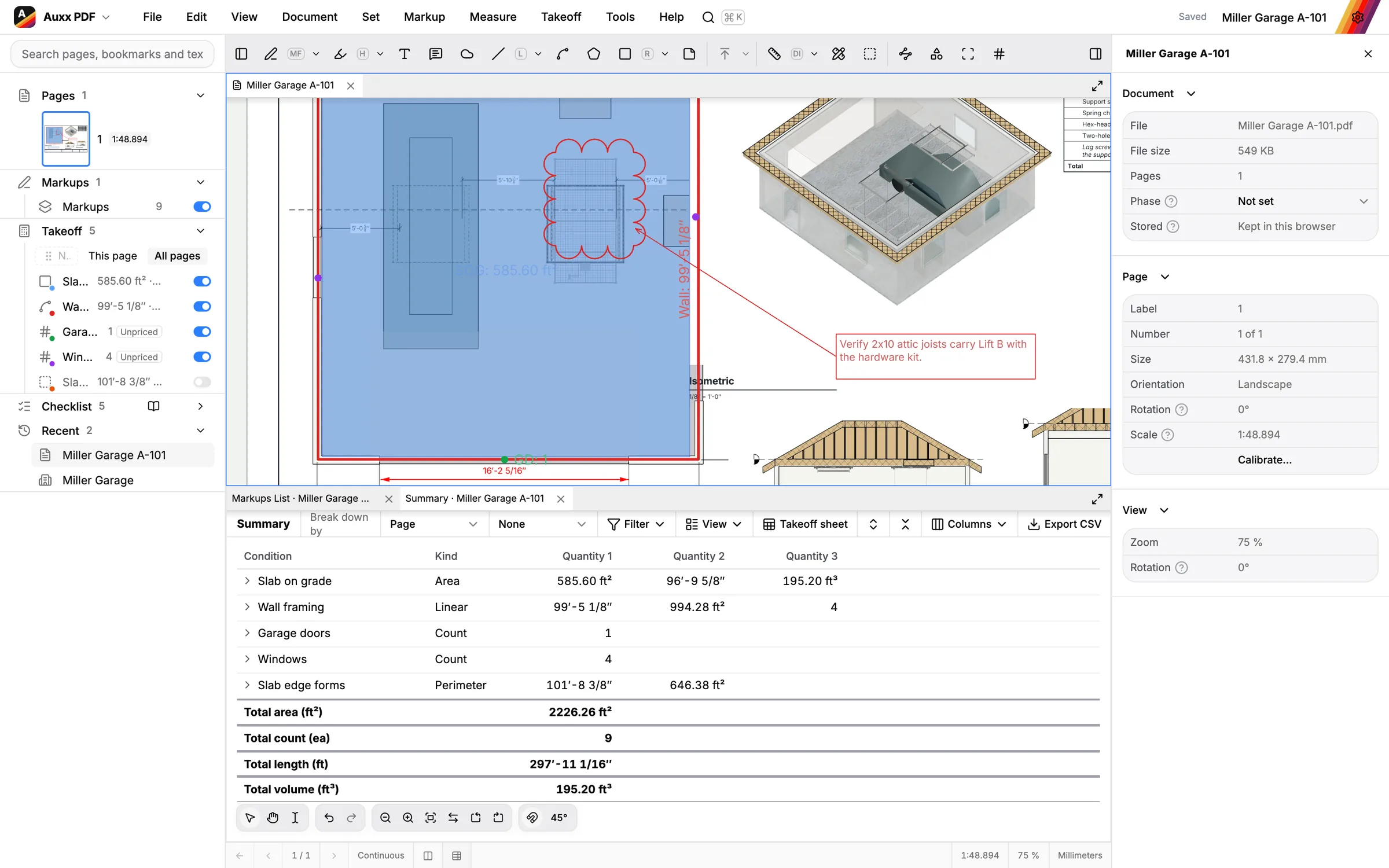
Set up conditions for what you build, measure against them and read the quantities by zone and category.
- Conditions and templates
- Zones and categories
- Summary by any column
Price the job
Turn quantities into prices with your own cost book. When the drawings change, the estimate shows what changed and what it costs.
Start from your costs
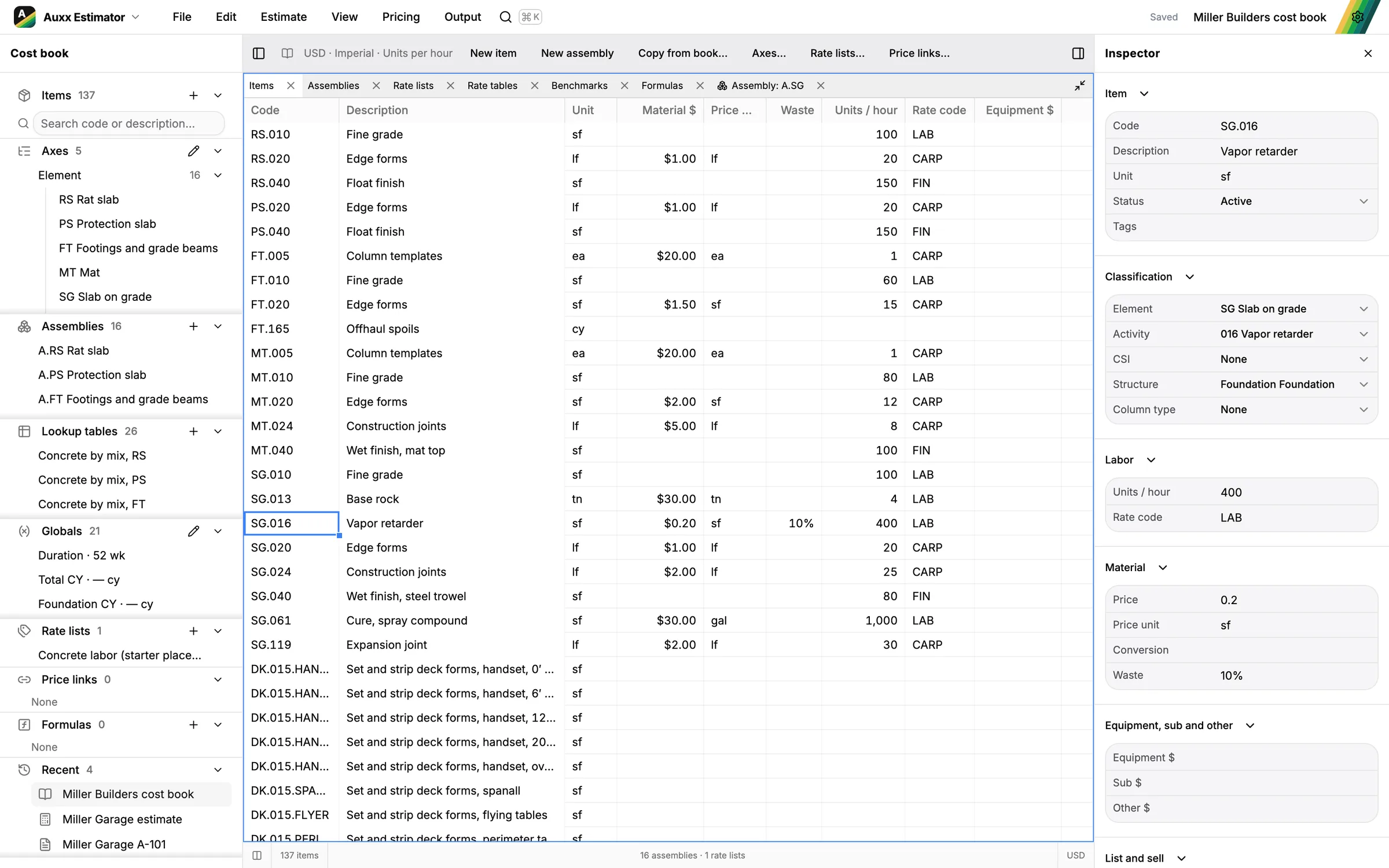
Keep items, assemblies, crews and rate tables in a cost book, or import the cost data you already have.
- Assemblies with formulas
- Rate tables
- Import from spreadsheets and WinEst
Priced from the takeoff
Bind estimate lines to the PDF takeoff or to the design itself. When a measurement changes, you review the change and its cost.
- Bound to PDF takeoff
- Bound to the design model
- Revisions and compare
Send the proposal
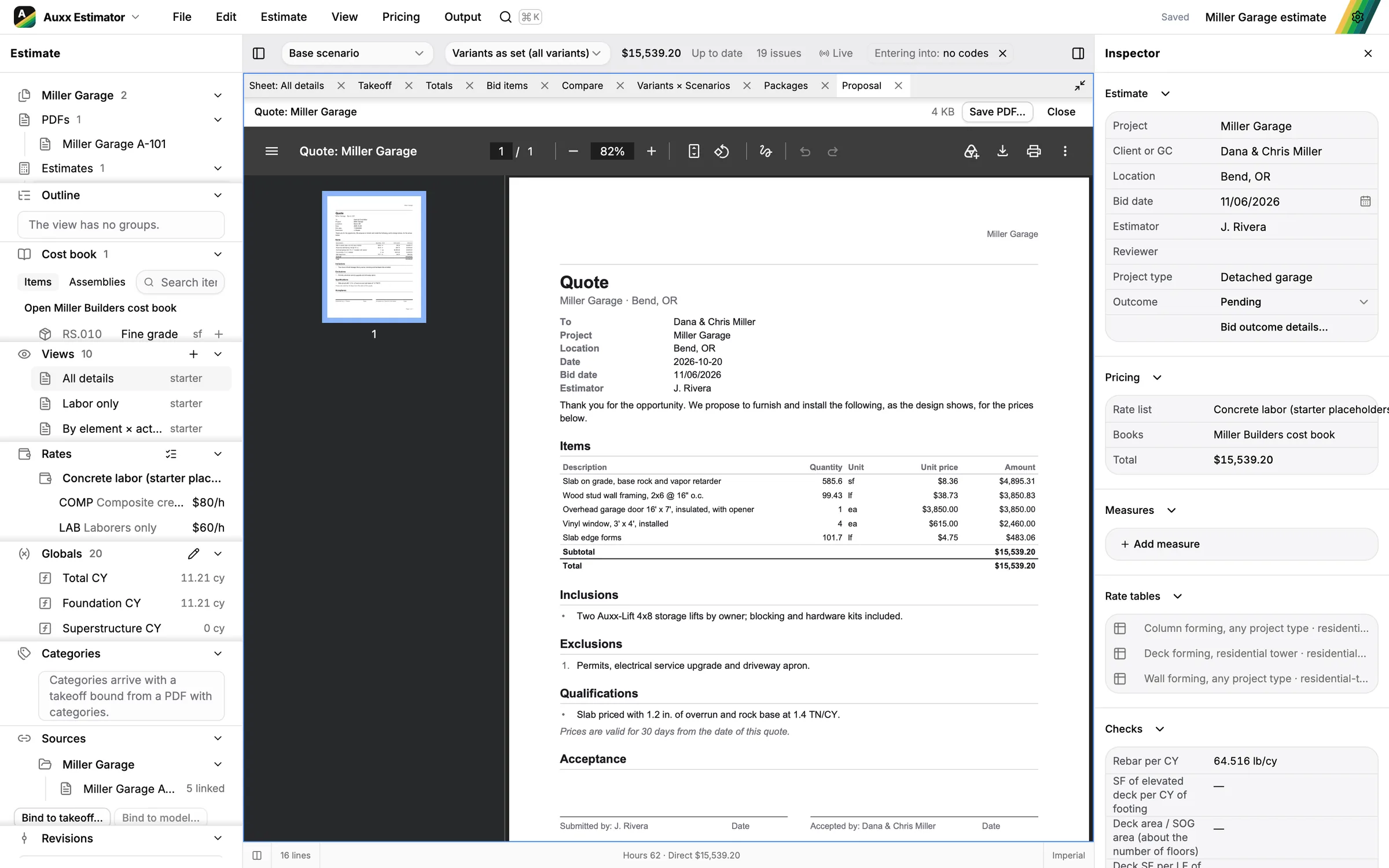
Options, alternates and scenarios, then a proposal PDF. For Auxx-Lift dealers, a quote straight from the garage design.
- Options and alternates
- Proposal PDF
- Quote from a design
From the first line to the quote
Each app hands its work to the next. Change the drawing and the estimate shows you what moved, and what it costs.
For Auxx-Lift dealers: design the customer's garage, choose Quote from design and send the quote.
Draw the building in Builder, or start from drawings you already have.
Open the drawings in PDF, measure to scale and take off by condition.
Quantities flow into the Estimator from the takeoff or straight from the model.
Send the proposal, the sheets and the marked-up drawings.
And a lot more.
- 01In the browser
Nothing to install. Or use the desktop app for Mac and Windows.
- 02Sets keep it together
A project’s designs, drawings and estimates open together in one set.
- 03Schedules
Tables of lifts, openings, beams and joists with counts and lengths.
- 04Trace a scan
Put a scanned plan or a PDF under the design and draw over it.
- 05Compare drawings
See what changed between two versions of a sheet, clouded for you.
- 06Change orders
Save revisions, compare them and print the change order.
- 07Your cost data
Import cost books from Excel, CSV and WinEst and keep them up to date.
- 08Works with your AI
Connect an AI assistant over MCP to read and edit designs, takeoff and estimates.
Frequently asked questions.
- Is Auxx Builder really free?
- Yes. Builder, PDF and Estimator are free to use today, with no credit card. Open builder.auxx.ai and start.
- Do I need to install anything?
- No. All three apps run in your browser. There is also a desktop app for Mac and Windows if you prefer working with files on your computer.
- Do I have to use all three apps?
- No. Use only the one you need: design a garage in Builder, measure drawings in PDF or price a job in the Estimator. They connect when you use them together.
- Do I need to know CAD or Revit?
- No. Drawing walls is click and click. If you do know Revit or AutoCAD, the shortcuts and the way views, levels and sheets work will feel familiar.
- Can I open PDFs I got from an architect?
- Yes. Open any PDF drawing, calibrate its scale and measure it. Markups made in Bluebeam come in as markups you can edit.
- Can I bring my own cost data?
- Yes. Import cost books from Excel or CSV files and from WinEst, and update them from new files later.
- Do I have to use Auxx-Lift products?
- No. Auxx Builder is a general building and estimating tool. Auxx-Lift storage lifts are built in for dealers and homeowners who want them, with height and clearance checks.